Change-Site-Language
The application opens in the language in which your user account was created. For instance, if your admin created your account in Turkish but you prefer to use English, you can select the English language by hovering over the "Language" field (Figure 1.2) on the screen that appears when you click on the "profile" icon (Figure 1.1). After refreshing the page, the Orchestrator application will appear in English.

Figure 1.1
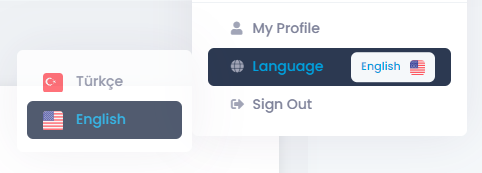
Figure 1.2