SAP Configuration
To enable SAP activities to function, we need to activate the scripting feature on the SAP side. To activate scripting, we should follow the steps below:
- Open the session by clicking on "Log On" for the connection to be opened on the SAP side.
- Click on "Set Local Layout" (ALT + F12, the icon shown below) in the opened window and select the options from the list that appears.

- On the opened page, go to the "Scripting" subheading under the "Accessibility and Scripting" main heading from the menu.
- Select the "Enable Scripting" checkbox from the user settings and click OK to save it.
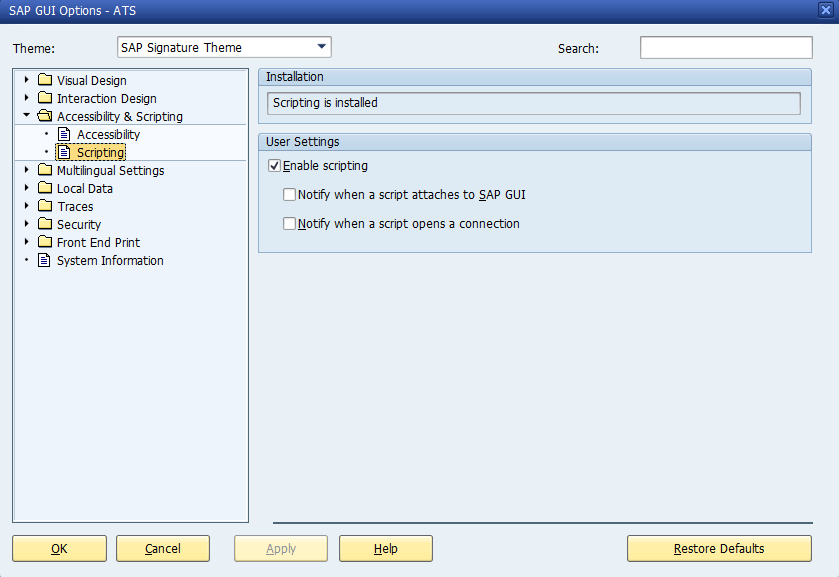
SAP Configuration Setting